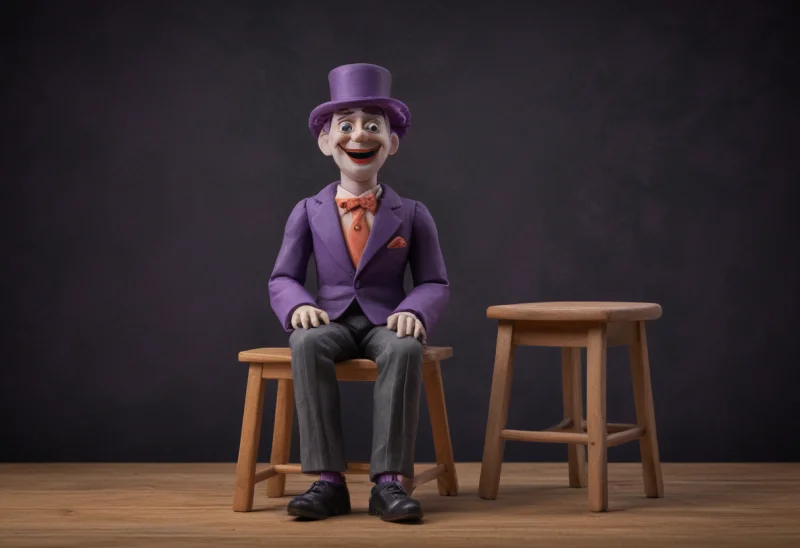
What avatar video is genuinely good at#
Start where the tool is right, because that is where the mismatch begins. Synthesia, HeyGen, and Colossyan sell one core move: type a script, pick a digital presenter, and out comes a video of that presenter reading your words, no camera and no studio. Synthesia bills itself as "the #1 AI video generator for L&D Teams" and means it2. For a training module, a compliance refresher, an internal announcement, or a localized talking-head explainer, this is the fastest route to a finished, on-brand video, and the specs are built for exactly that job.
The numbers describe a talking-head factory. Synthesia's paid tiers run from a $29-a-month Starter (125+ avatars, 10 minutes of video monthly) to an $89 Creator (180+ avatars, 30 minutes) to custom Enterprise (240+ avatars), all with 1,000+ voices across 160+ languages, and on its own count used by more than 50,000 teams1. HeyGen matches the shape from a $29 Creator plan up through a $149 Business tier, adds real-time conversational "interactive avatars," and translates into 175 languages6.
Where avatars earn their keep in software is training, and Synthesia's compliance page shows why. It sells "edit the script, regenerate the video, and maintain a full version history so every update is traceable, current, and audit-ready," plus one-click translation into 80+ languages and SCORM export into your LMS3. When a policy's wording changes once a quarter and has to ship in twelve languages to a workforce that opens it inside a learning system, a presenter reading a script is not a compromise. It is the correct object. Hold onto the phrase "regenerate the video," because it is doing more work than it looks.
Why an avatar is the wrong star for a demo#
A product demo exists to answer one question: does the thing actually do what you claim. Answering it means pointing the frame at the running software and letting the viewer watch the state change, the row appear, the error clear. An avatar cannot do that, because it is rendered from a script and separately from your product. It can narrate a feature in flawless Portuguese; it cannot click the control and show the result. Synthesia's product-video page promises "polished product videos without cameras, crews, or editing software" and lists "feature walkthroughs" among the outputs4, but what renders is a presenter beside a rendition of your app, never the app doing the thing.
That is why the honest decision line for a software video is output type, not avatar realism. HeyGen's Avatar IV engine and Synthesia's latest presenters are convincing, and it does not matter: realism is not the axis that decides this. The axis is what fills the frame.
| Output type | What fills the frame | Proves the feature works | Regenerates when the UI changes |
|---|---|---|---|
| Avatar reading a script | a synthetic presenter | No | Yes, from the script |
| Avatar over a manual screen clip | presenter plus hand-recorded footage | Partly | Only the presenter |
| Interactive tour | captured screenshots and DOM | Hands-on, of a snapshot | Re-capture by hand |
| Product-native capture | your real, running UI | Yes | Yes, if driven from a spec |
Read down the "proves the feature works" column and the choice stops being about which vendor has the better face.
The screen-recorder bolt-on, and what it doesn't fix#
The avatar vendors know this gap, which is why most now bolt a screen recorder onto the studio. Synthesia's records a browser tab ("pick a tab, hit record and start talking"), transcribes your voice, and drops an AI avatar and voice clone over the footage5. Colossyan does the same inside its editor, aimed squarely at "tutorials, training, and product walkthroughs"7. For a tutorial this is a real answer: you get the true UI on screen and a narrator who never has bed hair.
It also quietly hands back the problem the avatar solved, and this is the part every "synthesia alternative product demo" listicle misses. Watch what regenerates and what does not. An avatar tool regenerates the said: change the script and the presenter re-reads it, in a new language, with a version history. That is the whole compliance pitch. A software demo, though, is bottlenecked on the shown: the part that dates is the product UI, and the screen clip is a manual "hit record" capture, not a spec the tool can replay. When your app ships a redesign, the avatar's narration regenerates for free and the footage of your product does not. You are back to re-recording the take by hand, which is the exact rot that dates every captured demo. The regeneration that makes avatars great for a policy update never reaches the pixels a demo is actually made of.
The alternatives, by what ends up on the screen#
Sort the field by what fills the frame and the real "avatar video software demo" alternatives separate into four lanes, each answering a different job.
| The video's job | Reach for | What ends up on screen |
|---|---|---|
| A presenter delivering a script at scale | Synthesia, HeyGen, Colossyan | a synthetic talking head |
| A tutorial: real UI with a narrator | Synthesia or Colossyan screen recorder, Guidde, Clueso | hand-recorded UI plus avatar or voiceover |
| A self-serve clickthrough | Storylane, Arcade, Navattic | a captured HTML replica the viewer drives |
| A true product demo that stays current | product-native capture (incl. aidemo, ours) | your live UI, re-rendered on change |
The first lane is where the other avatar tools live, and if your job really is a presenter, an AI avatar video alternative to Synthesia is another avatar tool: HeyGen for cheaper credits and interactive avatars, Colossyan for a training-first editor. Swapping Synthesia for HeyGen changes the price and the face, not the fact that the star is a presenter.
The lane most demo shoppers actually want is the fourth. If the point is to show the product and keep the video honest as the product ships, you want capture, not narration over a mockup. aidemo, which we build and disclose as ours, sits here: a coding agent writes a storyboard, and a deterministic engine replays your real interface in Chrome, then voices and captions it into an MP4 that CI can re-render on the commit that changed the UI. The honest constraints, since it is ours: it drives a Chrome tab and nothing beyond one, so a native desktop or phone app is off the table; the storyboard is authored by an agent rather than steered live; and the only editor is that text file plus a re-render, with no visual timeline to scrub. For a web product that trade is the entire point; for a talking-head training series it is the wrong tool, and Synthesia is not.
Draw the line on output type, not avatar quality#
None of these is best in the abstract. Each is best for one job, and the job decides who belongs in the frame. Take the first row that matches what you are making.
| You are making... | Star of the frame | Reach for |
|---|---|---|
| Compliance or policy training in many languages | a presenter | Synthesia, HeyGen, or Colossyan |
| Onboarding or internal upskilling | a presenter, optionally over a screen clip | an avatar tool with screen recording |
| A brand explainer with no live UI to show | a presenter | any avatar tool |
| Proof a specific feature works, for an evaluator | the product | product-native capture |
| A docs or README walkthrough that must stay current | the product | a spec-driven render |
| A prospect clicking through it themselves | the product, interactive | an interactive tour |
Two of those rows are worth their own reading. Localizing a talking-head course is where avatars are unbeatable, but a product demo can be localized too, by re-voicing one recording rather than re-shooting it; the economics of multi-language demo videos from a single take are their own piece, as is the AI voiceover workflow that narrates a captured UI with no avatar at all. And when a buyer wants to poke the interface rather than watch it, the choice is not avatar versus capture but an interactive tour versus a video entirely.
The mistake behind most "synthesia alternatives" searches is treating avatar quality as the variable. It rarely is. Name what has to be on the screen, a face explaining or the product working, and the shortlist writes itself: for the first, Synthesia is already excellent; for the second, you were never shopping for an avatar.
Sources#
- Synthesia — pricing
- Synthesia — learning and development
- Synthesia — compliance training
- Synthesia — product videos
- Synthesia — AI screen recorder
- HeyGen — pricing
- Colossyan — screen recording
FAQ#
Is Synthesia good for product demos?#
It depends on what you mean by a demo. Synthesia is excellent for a training video, an explainer, or a localized presenter reading a script, and its product-video templates cover onboarding and feature overviews narrated by an avatar. What it does not do is show your real, running product proving a feature works, because the frame is filled by a synthetic presenter, not your live UI. For a demo whose job is proof, reach for screen capture; for one whose job is explanation at scale, Synthesia fits.
What is the best Synthesia alternative for showing your real product UI?#
If the goal is the actual running software on screen, the alternative is not another avatar tool but capture: a screen recorder for a one-off (Synthesia and Colossyan now bolt one on), or product-native, spec-driven capture for a demo that has to stay current as the product ships. The honest test is whether the tool points a frame at your live UI or renders a presenter beside a depiction of it. Only the capture lane passes it.
Can Synthesia record my screen and show my actual product?#
Yes. Synthesia added an AI screen recorder that captures a browser tab, transcribes your narration, and lays an AI avatar and voice clone over the footage5. The catch is that the screen clip is a manual recording you perform yourself, so while the script and avatar regenerate when you edit them, the footage of your product does not, and when the UI changes you re-record the take by hand.